Every meeting, written down.Every word, cited.
MeetNotely records your calls from your browser with no bot in the call, or sends a notetaker to Zoom, Meet or Teams. You get notes, decisions and action items in any language you speak, even when people switch languages mid-call, each linked to the moment it was said.



Works with: Google Meet, Zoom, Microsoft Teams, Google Calendar, Outlook, Microsoft 365, Slack, Notion, Google Docs, OneNote, Google Drive, OneDrive, Claude, ChatGPT, Amazon S3, Cloudflare R2.







Your next call.Already written up.
This is what lands after every meeting. Switch tabs, click a timestamp, ask a question.

- The team agreed to launch the Arabic onboarding this Thursday.
- The client's pricing deck goes out before Monday's call.
Arabic onboarding ships Thursday
- Send pricing deck to the clientMon
- Add Google Drive exportNext sprint
How it works
From the first hello.To the last action item.
MeetNotely takes the notes, so you can stay in the conversation and leave with next steps.
See how it works, step by step- 0:00
Capture
Record your way.
Share the meeting tab and your mic, and nothing joins the call. Or send the notetaker to Zoom, Meet or Teams.
- 0:41
Transcribe
Every word, every speaker.
A full transcript with each person named, searchable across all your meetings.
- 2:13
Cite
Notes you can check.
Summary, decisions and key points, each with a timestamp that plays the moment.
- 3:05
Ask
Ask the meeting.
Questions in plain words, answers with their source.
- 4:48
Act
Leave with next steps.
Action items with owners and due dates, ready to share as a link or a clip.
Features
One notetaker.Everything after the call.
The details that keep every meeting useful after the call.
Every feature in detailNotes you can check
Every summary line, decision and action item links to the second it was said. Click the time to hear it.
Ask the meeting
Questions in plain words, answers with their source.
Search every meeting
Every word with the speaker's name, searchable across all your calls.
Upload a recording
Already have the file? On Pro and Enterprise, upload it and get the same transcript and notes.
A bot only if you want one
Record in your own browser and nobody sees a notetaker join. Or send the notetaker to Zoom, Meet or Teams.
Who it's for
Who is MeetNotely for?And what it costs.
Start free, move to Pro when you meet every day, or bring the whole team with Enterprise.
Plans and pricing in detailFree
Try it on your own calls.
$0/ month
For one person
- 3 meetings a month, up to 30 minutes each
- 10 Ask questions a month
- Ask about one meeting at a time
- Browser recording or the meeting bot, audio only
- Transcripts and cited notes in any language
- Share meetings by link
Pro
Most popularFor anyone who meets every day.
$20/ month
Billed monthly
+ VAT where applicable
$16/ month
$192 billed yearly
+ VAT where applicable
Video recording, playback and clips
- 30 hours of recording a month, from the browser, the bot or uploads
- Unlimited uploads (up to 2 hours each)
- Ask and search across all your meetings: 50 Ask questions a day, up to 500 Ask questions a month
- Share meetings by link
- Up to 2 hours per meeting
- Slack, Teams, Google Docs, OneNote, Notion, Drive and AI apps
- Credit packs from $10 when you need more hours
Enterprise
For teams that work from one workspace.
$30per user / month
Billed monthly
+ VAT where applicable
From 2 users
$24per user / month
$288 billed yearly
+ VAT where applicable
From 2 users
Everything in Pro, plus:
- 40 hours per user, shared by the team
- A team workspace for everyone
- Owner, admin and member roles
- Admins invite and manage members
- Credits shared by the whole team
- Ask: 100 Ask questions a day and up to 1,000 Ask questions a month per user
- Recordings in your own storage, if you want
Pro includes 30 hours of recording a month; Enterprise gives each user 40 hours, shared by the whole team. Browser, notetaker and uploads count the same. Hours reset on the 1st and don't roll over; credit packs add more. We never cut a meeting off mid-call.
Questions?Answered.
Which meeting apps does it work with?
Zoom, Google Meet and Microsoft Teams. Send the notetaker to any of them, by pasting the link or from your Google or Outlook calendar. Or record from a browser tab: Google Meet, and Zoom and Teams on the web.
Will other people see a bot in the call?
Only if you send one. Record from your browser and nothing joins the call, so let people know you're recording. Send the notetaker and it joins as a participant and posts a message in the chat that it's recording.
Does it work in Arabic?
Yes. The app is fully right to left in Arabic, and notes are written in the language the meeting was held in.
Where are my recordings stored?
Privately in MeetNotely Cloud, in your workspace. Nobody else can open them unless you share a link, and you can turn a link off at any time.
How does pricing work?
Start free with 3 meetings a month. Pro is $20 a month with 30 recorded hours a month, and Enterprise for teams is $30 per user a month, from 2 users, with 40 hours per user shared by the team. Pay yearly and save 20%. Need more hours in a month? Credit packs start at $10. Prices are plus VAT where applicable.
Can we use it under our own brand?
Tell us what you need and how you'd offer it, and we'll talk it through with you. It isn't something you can set up yourself in the app.
Blog
Notes on meetings.From the MeetNotely team.
- Transcription
Speaker diarization: why transcripts mix up speakers
Speaker diarization labels who spoke when, without names. Why speakers get merged, a scripted test where five voices became three, and what renaming can't fix.
Read the article9 min read
- Meeting recording
How to record a meeting on a laptop with system audio
How to record a meeting on a laptop with system audio and your mic: who can record in Zoom, Meet or Teams, plus macOS 27, Windows 11 and browser tab steps.
Read the article9 min read
- AI meeting notes
AI meeting notes with timestamps: how we pick each moment
AI meeting notes with timestamps: the language model picks a numbered transcript line, our server checks it by shared words, and we show where that fails.
Read the article10 min read


Your next meetingcan write itself.
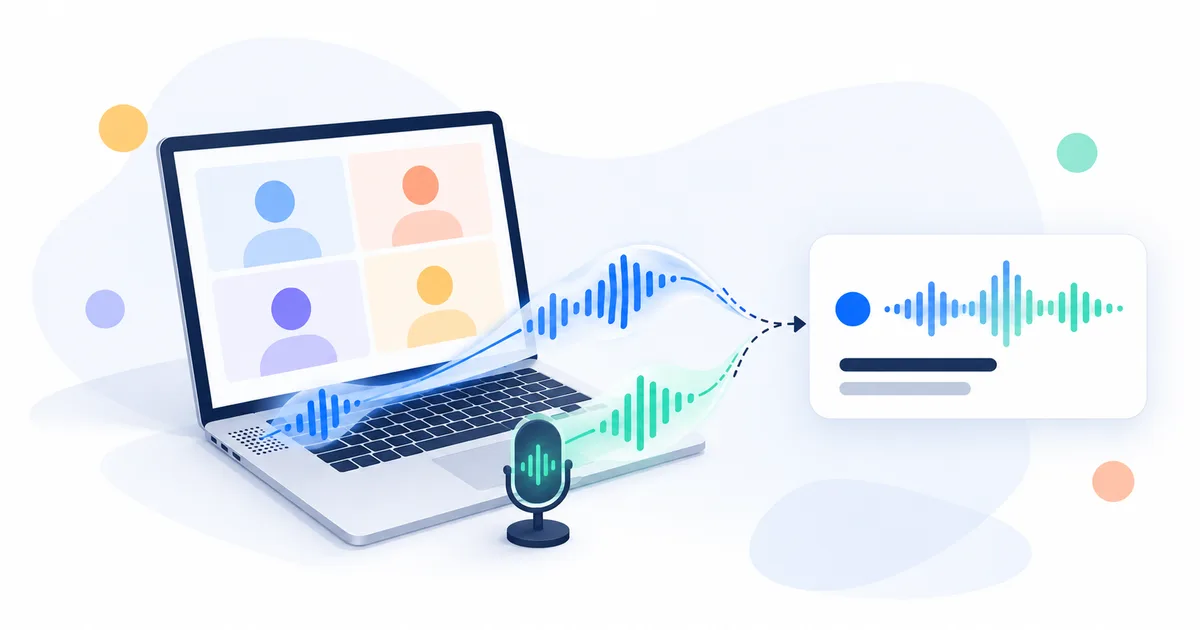
Record your next call from the browser, or send the notetaker, and leave with cited notes, decisions and action items.